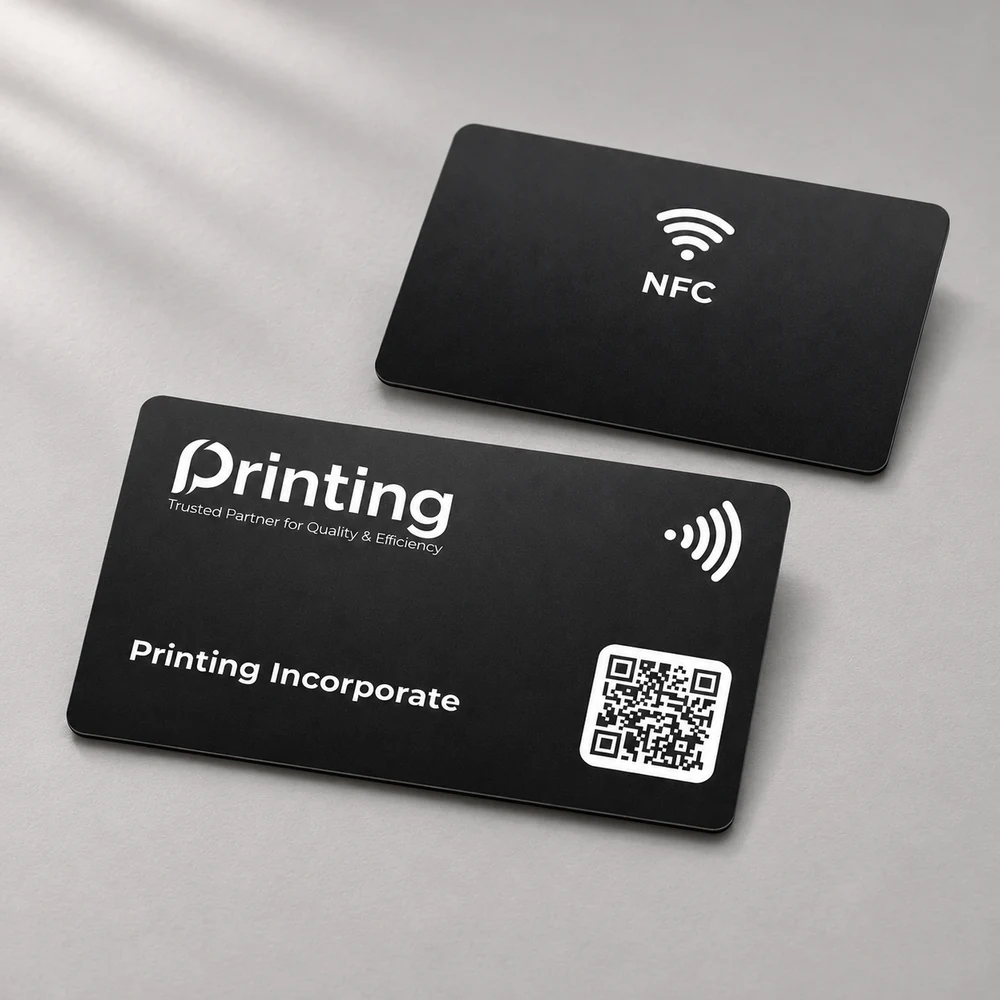
NFC business cards & digital profiles Your printed card. A connection that continues.
An introduction you can hand over. A profile they can come back to. Connect your printed NFC business card to your own website or a digital profile on NFCSG.
Bring your contact details, company information and social links into one place. Share it with a tap, a QR scan or the link itself.
A physical card. An optional digital profile. Two choices that work together.
9:41
FORMA STUDIOCheryl TanCreative director
Save contact
EmailWebsiteLinkedIn
Cheryl TanCreative director
One tap. A better introduction.
Your own photo, logo and details make it yours.
Choose your starting point Have a link already, or need a profile?
Start with the destination. Then give it something tangible.
The physical card
I already have a link.
Your website, contact page or existing digital profile can be the destination. Choose your card specification and prepare your artwork with that link in mind.
Publishing requires a paid plan. Physical cards are purchased separately. View current NFCSG plans.
Printing.com.sg is operated by Printing Incorporate. NFCSG is operated by Kian Hong Press. Card quotations and digital subscriptions are managed separately.
What the profile addsKeep the card.Keep the conversation going.
A printed introduction has limited space. Your digital profile gives the useful details room to grow.
Update your role, contact details or company information on your published profile while keeping the same link on your card.
Make saving easier.
Let visitors choose to save your contact details to their address book, with the final import confirmed on their phone.
Give your work a home.
Bring together your introduction, company information, website and social links so people can choose where to go next.
Share beyond the card.
Use the profile link in an email signature or message. The printed NFC card is one way into the same introduction.
From link to introductionA little preparation.A smoother handover.
Check the print and the destination together, before the first introduction.
Your destination
Prepare the link.
Confirm the exact website or profile URL for each person. If the profile is still a draft, publish it before handing out the cards.
Your physical card
Choose the details.
Set out the card specification, quantity and artwork requirements. Include a printed QR code if you want a second way to connect.
Your approval
Check the artwork.
Review names, spelling, contact details and the intended link. Confirm the final proof and order arrangements before production.
Your first introduction
Test, then share.
Check the NFC tap and any printed QR code open the correct page. Keep the destination available and its information up to date.
For one person or a whole teamOne identity.Many introductions.
A personal card for your next meeting. A coordinated set for your sales team. A way to keep the conversation going after an event.
For a team, prepare each person’s name, role and destination link alongside the shared artwork. Explore NFCSG company plans for managing employee profiles and branding.
Do I need an NFCSG subscription to use an NFC card?
+
No. You can use an accessible website, contact page or digital profile you already have. NFCSG is an optional service for creating and managing a digital profile. A printed card and an NFCSG subscription are separate purchases.
Can I create a profile before choosing a subscription?
+
Yes. A free NFCSG account lets you explore templates, add your details and save a draft. Publishing the profile requires a paid digital plan. You can prepare the card while working on your profile, but the destination needs to be published before you share the card.
Will it work with every phone?
+
An NFC tap needs a compatible phone with NFC reading available. The reading position and settings vary by device. Include a printed QR code as another way to open the same link with a compatible camera. An internet connection is needed to load the online destination.
Can I change my details after the card is printed?
+
You can update the content of your NFCSG profile while keeping its link unchanged. Your card will continue to open that profile. Changing to a different destination URL is a separate matter: check the card and link setup first. Text already printed on the physical card cannot update.
Does tapping the card automatically save my contact?
+
Tapping opens the linked page. On an NFCSG profile, the visitor can choose Save contact and confirm the import on their phone. Available fields, labels and profile-photo handling can vary between contact apps. The visitor stays in control of what they save.
Can we prepare cards for a whole team?
+
Yes. Prepare a list of names, roles and the correct destination link for each person, together with the shared artwork. NFCSG company plans offer tools for managing employee profiles and branding; review the current plan details on NFCSG. Confirm the physical card quantities and artwork separately.
What should I provide for a card quotation?
+
Include the number of cards and people, your preferred card specification, artwork status, the exact destination links, whether you want a printed QR code, your required date and delivery location. The card specification, pricing and schedule will be confirmed before production.